Lost your Aadhaar card or need a copy fast? Download the e-Aadhaar PDF free from UIDAI in a few minutes. Steps, masked Aadhaar and the PDF password.
Table of contents
You don't need to visit an Aadhaar centre for a copy of your Aadhaar. You can download e-Aadhaar, a digitally signed PDF, from UIDAI's website for free, and UIDAI treats it as just as valid as the printed card.
What you need
- Your Aadhaar number, Enrolment ID (EID) or Virtual ID (VID)
- The mobile number linked to your Aadhaar, for the OTP
Steps
- Open the official myAadhaar portal at myaadhaar.uidai.gov.in.
- Click Download Aadhaar.
- Choose Aadhaar number, Enrolment ID or Virtual ID, enter it and fill in the captcha.
- Click Send OTP and enter the OTP from your linked mobile.
- Decide whether you want a masked Aadhaar (explained below).
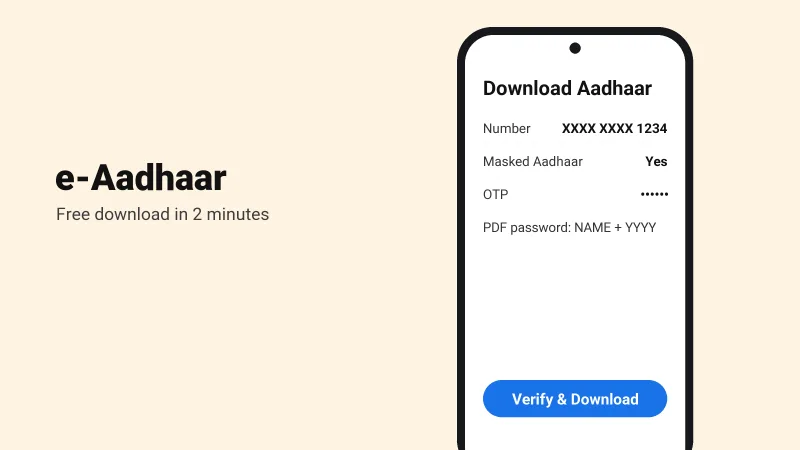
- Click Verify & Download. The PDF downloads to your phone or computer.
The PDF password
The file is password protected. The password is the first four letters of your name in capitals, followed by your year of birth.
| Name on Aadhaar | Year of birth | Password |
|---|---|---|
| Suresh Kumar | 1990 | SURE1990 |
| Priya Sharma | 1998 | PRIY1998 |
Masked Aadhaar
A masked Aadhaar hides the first eight digits of your number and shows only the last four, like XXXX XXXX 1234. Use it where the full number isn't needed, such as hotel check-ins.
Other places to keep a copy
The mAadhaar app from UIDAI and DigiLocker both keep a digital copy on your phone.
No mobile number linked?
Without a linked mobile you can't receive the OTP. Visit an Aadhaar Seva Kendra or an enrolment centre to update your number first.
Warning
Download Aadhaar only from UIDAI's official website or apps, and never share your Aadhaar OTP with anyone.