Build a simple personal web page from scratch with a text editor and a browser, then put it online for free with GitHub Pages.
Table of contents
Every website is built from HTML, which holds the content, and CSS, which controls how it looks. You can write both in a plain editor and see the result in your browser straight away. In this guide you will build a small personal page and put it online for free.
What you need
- A code editor. Visual Studio Code is free and popular, but even Notepad works.
- A browser like Chrome, Edge or Firefox.
Step 1: Create two files
Make a folder called my-website, and inside it create two files: index.html and style.css.
Step 2: Write the HTML
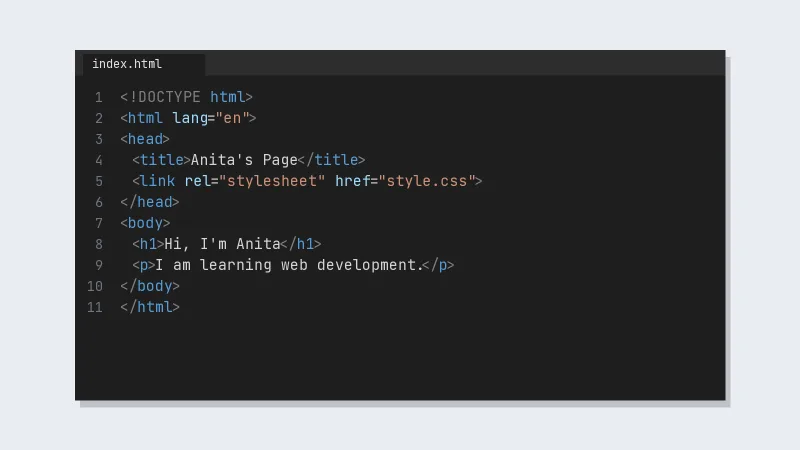
Paste this into index.html:
<!DOCTYPE html>
<html lang="en">
<head>
  <meta charset="UTF-8">
  <meta name="viewport" content="width=device-width, initial-scale=1.0">
  <title>Anita's Page</title>
  <link rel="stylesheet" href="style.css">
</head>
<body>
  <header>
    <h1>Hi, I'm Anita</h1>
    <p>I am learning web development.</p>
  </header>
  <main>
    <h2>My skills</h2>
    <ul>
      <li>HTML</li>
      <li>CSS</li>
      <li>Learning JavaScript</li>
    </ul>
    <a href="mailto:[email protected]" class="button">Contact me</a>
  </main>
</body>
</html>
Save it and double-click the file. It opens in your browser as a plain page.
Step 3: Add the CSS
Paste this into style.css:
body {
  font-family: Arial, sans-serif;
  max-width: 700px;
  margin: 40px auto;
  padding: 0 16px;
  line-height: 1.6;
  color: #222;
}

header {
  border-bottom: 2px solid #eee;
  margin-bottom: 24px;
}

.button {
  display: inline-block;
  padding: 10px 18px;
  background: #c24a14;
  color: #fff;
  text-decoration: none;
  border-radius: 4px;
}
Refresh the browser. The page now has a centred layout and an orange button.
What the code does
- Tags like
<h1>,<p>and<ul>say what each piece of content is: a heading, a paragraph, a list. - Each CSS rule picks some elements, like
bodyor.button, and sets how they look. - The
<meta name="viewport">line makes the page fit phone screens.
Step 4: Put it online for free
GitHub Pages hosts simple sites like this one at no cost:
- Create a free GitHub account and a new repository.
- Upload
index.htmlandstyle.css. - In the repository, open Settings → Pages, choose your main branch and save.
- After a minute or two, GitHub shows the link to your live site.
Next steps
Learn to add images, links and forms in HTML, then layouts with CSS Flexbox and Grid. After that, JavaScript lets you make the page interactive. Building one small page a day teaches more than a long course you never finish.