Git saves every version of your code and makes undoing mistakes easy. These ten commands cover nearly everything you do on a normal day.
Table of contents
Git keeps a history of every change in your project. If you break something, you can go back to the last working version in seconds. It is also how teams share code on GitHub and GitLab. You don't need to learn all of Git to start, and ten commands are enough for most days.
Install Git from git-scm.com, then set your name and email once:
git config --global user.name "Your Name"
git config --global user.email "[email protected]"
1. git init
Starts tracking the current folder. Git creates a hidden .git folder to store the history.
git init2. git clone
Downloads an existing project along with its full history.
git clone https://github.com/user/project.git3. git status
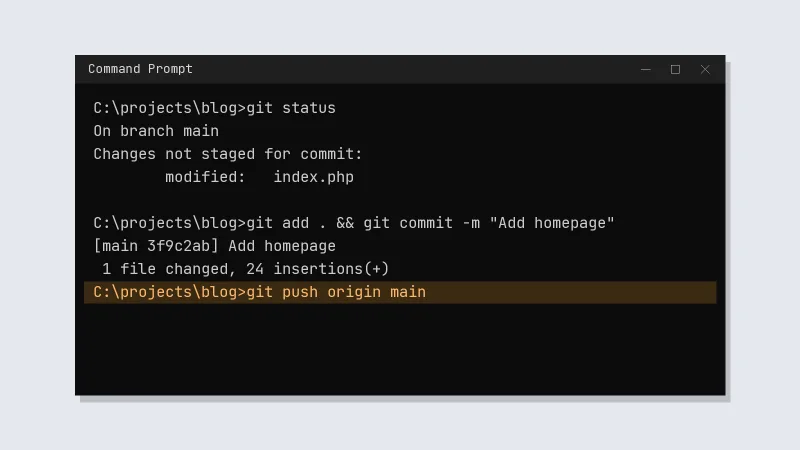
Shows which files are new, changed or ready to be saved. Run it often.
git status4. git add
Picks the changes that go into the next save. git add . picks every change in the folder.
git add index.php
git add .
5. git commit
Saves a snapshot with a short message about what changed.
git commit -m "Add contact form"6. git log
Shows the history, one line per commit.
git log --oneline7. git branch
Creates a separate line of work, so you can try something without touching the main code.
git branch new-design8. git switch
Moves between branches. Add -c to create a branch and switch to it in one go.
git switch new-design
git switch -c another-idea
9. git pull
Brings in the latest changes from the remote repository.
git pull10. git push
Uploads your commits.
git push origin mainA normal working day
git pullto get the latest code- Make your changes
git status, thengit add .git commit -m "What you changed"git push
Set up a .gitignore file early. Files listed there never go into Git, which is where .env files with passwords, log files and big build folders belong.
Once these feel normal, look at git merge, git stash and pull requests on GitHub.